


























Written by the AgileFever editorial team. Facts checked on November 16, 2026 against the official pages of the organizations named in this post. AgileFever sells training for some of the topics covered here, and we say so wherever it applies. Tool behaviour comes from the official NumPy, pandas, scikit-learn and PyTorch documentation, plus model-maker documentation for the LLM stage, all opened on that date. The hours, projects and checks are our own plan. This post names no course providers.
Most Python for AI advice is a list of libraries. A list does not say what to do first or how you know you are done. This post gives you the order, the skills to check off at each stage, a time budget, a mini project per stage and the ordering mistakes that cost weeks.
It assumes you can read code but may not have written much. If you need to know what AgileFever’s own Python course covers and who should take it, read our post on the free 6-hour course. This post does not repeat that. It covers what to learn around and after it.
The Python for AI roadmap in seven stages
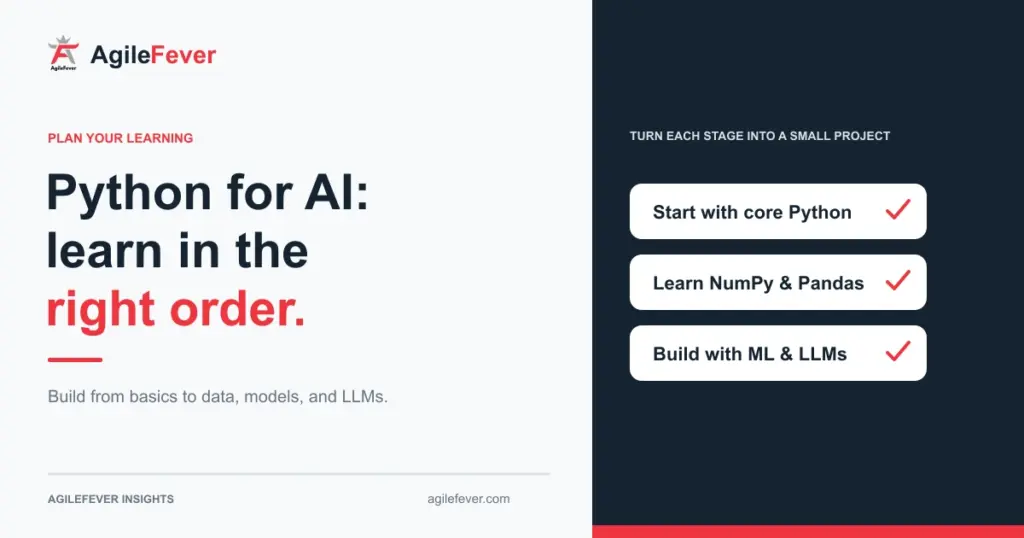
The order follows one rule: each stage uses what the previous one produced. NumPy arrays feed Pandas. Pandas tables feed scikit-learn. scikit-learn teaches you the train, test and evaluate habit that PyTorch and LLM work both depend on. Reverse any pair and you spend your time fighting the tool instead of learning the idea.
Functions, loops, dictionaries, files, errors. You can write and debug a 50-line script.
Arrays, shapes, vectorised maths. You stop writing loops for numeric work.
Load, clean, filter, group and merge tables. You can answer a question from a messy CSV.
Plot distributions and relationships to check your data before you model it.
Split, fit, predict, evaluate. You learn why a model score can lie.
Tensors, a training loop and autograd. You train a small network and read its loss curve.
Call a model API, create embeddings, and build a small retrieval script that cites its source.
How many hours each stage takes
These are suggested hours for someone who works full time and learns after hours. A stage is done when you pass its check, not when the hours run out.
| Stage | Suggested hours | Weeks at 5 h/week | Weeks at 8 h/week | Mini project |
|---|---|---|---|---|
| 1. Python basics | 25 | 5 | 3 | A command-line expense tracker that reads and writes a CSV file |
| 2. NumPy | 10 | 2 | 1 | Normalise a grid of numbers and compute distances with no loops |
| 3. Pandas | 20 | 4 | 2.5 | Clean a public dataset and answer five questions from it |
| 4. Data visualisation | 8 | 1.5 | 1 | A one-page chart report with a written finding per chart |
| 5. scikit-learn | 25 | 5 | 3 | A classifier with a baseline, a pipeline and cross-validation |
| 6. PyTorch basics | 30 | 6 | 4 | Train a small network on an image or tabular dataset |
| 7. LLM and API work | 25 | 5 | 3 | A question-answering script over your own documents |
| Total | 143 | about 29 | about 18 |
Illustrative example: hours are our suggested plan for a beginner with no prior coding, not published figures. Add stages you already pass the check for and subtract their hours.
Total 143 hours. Illustrative plan, not a published standard.
PyTorch gets the largest share because results start to depend on your choices: learning rate, batch size, when to stop. Visualisation gets the least, but skip it and you model data you never looked at.
Stage 1: Python basics checklist
Python for AI needs the parts of the language that data code uses every day, not advanced features.
| Skill to check off | Proof you have it |
|---|---|
| Write a function with arguments and a return value | A function that takes a list of numbers and returns the average, with a test for an empty list |
| Loop and use comprehensions | Turn a list of records into a list of one field in a single line |
| Handle errors with try and except | A script that skips a bad row, logs it and keeps going |
| Install packages and use a virtual environment | A fresh folder where one command installs everything the project needs |
Mini project: the expense tracker. Done when it survives a blank line, a missing file and a number typed as text. If you pass these checks with only documentation open, move on. If not, our course on Python for Artificial Intelligence is 6 hours of live, instructor-led work on exactly this ground, as listed on the course page on November 16, 2026.
Stage 2: NumPy
NumPy is the base layer. Per the NumPy documentation, the core object is the ndarray, a homogeneous N-dimensional array: every element has the same type, the size is fixed once created, and the shape must be rectangular, not jagged. Those three rules explain most of the errors beginners meet.
| Skill to check off | Proof you have it |
|---|---|
| Create arrays and read their shape and dtype | Predict the shape of a result before you print it, five times in a row |
| Index and slice rows, columns and boolean masks | Select every value above a threshold without a loop |
| Apply operations to a whole array | Replace a for loop over 1,000 numbers with one expression |
| Explain broadcasting | Per NumPy, shapes are compatible when dimensions are equal or one of them is 1; otherwise you get a ValueError. Say why a (3, 4) array plus a (4,) array works and a (3, 4) plus a (3,) fails |
Mini project: take a grid of numbers, scale every column to a 0 to 1 range, then compute the distance from one row to every other row. No loops. That distance calculation returns in stage 7, where you compare embeddings.
Stage 3: Pandas
Pandas is where most real AI work starts, because real data arrives as messy tables. The pandas documentation defines a Series as a one-dimensional labelled array and a DataFrame as a two-dimensional table with rows and columns. Its 10-minute guide covers selection, missing data, merging, grouping, plotting and reading or writing CSV, Parquet and Excel files, which is a fair outline of the skills below.
| Skill to check off | Proof you have it |
|---|---|
| Load a CSV and inspect it | Report row count, column types and the three columns with the most blanks |
| Select rows and columns by label, position and condition | Pull all rows where one column is above a value and another equals a category |
| Handle missing data | Per pandas, NaN is excluded from computations by default; use isna(), dropna() and fillna() and explain why you chose one for each column |
| Group and aggregate | Total one column by another with groupby, which pandas describes as split, apply, combine |
Mini project: pick a public dataset you care about, clean it and answer five written questions from it. Done when someone else can rerun your notebook top to bottom and get the same five answers.
Stage 4: data visualisation
Plot before you model. A histogram shows the outlier that would have ruined your average. A scatter plot shows that two columns you assumed were related are not.
Skills to check off: draw a histogram, bar, line and scatter chart from a Pandas table; pick the chart from the question (distribution, comparison, trend or relationship); and write one sentence of finding under every chart. A chart with no sentence is decoration.
Mini project: four charts with a finding each, from the stage 3 dataset.
Stage 5: scikit-learn
This is your first machine learning stage and the one that builds the habits everything later depends on. The scikit-learn getting-started guide shows the pattern: every estimator has fit(X, y), where X is an (n_samples, n_features) matrix, and fitted models expose predict(X).
from sklearn.pipeline import make_pipeline
from sklearn.preprocessing import StandardScaler
from sklearn.linear_model import LogisticRegression
from sklearn.model_selection import cross_validate

model = make_pipeline(StandardScaler(), LogisticRegression())
result = cross_validate(model, X, y)
print(result['test_score'])
Two details from the official guide deserve attention. First, cross_validate runs 5-fold cross-validation by default. Second, the guide says to search over a pipeline, because preprocessing the full dataset before cross-validation leaks information from the test data into training and inflates your score.
| Skill to check off | Proof you have it |
|---|---|
| Split data with train_test_split | Say why you never look at the test set while tuning |
| Fit and predict with two different estimators | Swap one model for another by changing one line |
| Build a pipeline with a scaler and a model | Explain what data leakage is and show where your pipeline avoids it |
| Run cross-validation | Report a mean and a spread, not a single score |
| Set a baseline | Compare your model to predicting the most common class and say what the gap means |
Mini project: a classifier on a tabular dataset with a baseline, a pipeline and cross-validation scores. Done when you can explain every number in your results table to a non-technical manager.
Stage 6: PyTorch basics
PyTorch works on tensors. The PyTorch tutorial describes a tensor as similar to a NumPy ndarray, except it can run on GPUs or other accelerators, and CPU tensors and NumPy arrays can share memory. That is why stage 2 comes first: if arrays and shapes are comfortable, tensors take an afternoon.
The official Learn the Basics tutorial sequence runs Quickstart, Tensors, Datasets and DataLoaders, Transforms, Build Model, Automatic Differentiation, Optimization Loop, then Save and Load. Its running example trains a neural network to classify FashionMNIST images into ten clothing and footwear classes. Follow that order.
| Skill to check off | Proof you have it |
|---|---|
| Create tensors and move them between devices | Convert a NumPy array to a tensor and back, and show that a change in one shows in the other |
| Load data with a Dataset and DataLoader | Iterate batches and print the shape of one |
| Define a small model class | Count its parameters by hand and match the code’s count |
| Explain what autograd does | Compute a gradient for a simple function and check it against the maths |
| Write a training loop | Loss goes down on training data; you can name what you would look at if it did not |
| Compare training and validation loss | Spot overfitting on your own plot |
Mini project: train a small network on one dataset, plot training and validation loss, and write three sentences on whether it beats your stage 5 baseline. On tabular data a plain scikit-learn model often wins, and finding that out yourself is the lesson.
Stage 7: LLM and API work
This stage uses everything before it. Calling a model API is a few lines of code. Making the answers reliable is the work, and it needs the data skills from stages 2 and 3 and the evaluation habit from stage 5.
| Skill to check off | Proof you have it |
|---|---|
| Call a model API from Python with a key stored outside your code | A script that sends a prompt, prints the reply and handles a failed call |
| Create embeddings and compare them | Embed 20 short texts, compute similarity with NumPy and check that related texts land near each other |
| Retrieve and answer with a source | Return the top passages with the answer, so a reader can check them |
| Test with a question sheet | Ten questions, two the documents cannot answer, and a pass or fail mark on each |
A small retrieval script, often called RAG, has five steps:
Split your documents into passages of a few sentences each.
Turn each passage into a vector with an embedding model and keep the vectors in a NumPy array.
Embed the question, score it against every passage and keep the top three.
Put those passages in the prompt and tell the model to answer only from them.
Print the passages next to the answer and mark the answer pass or fail against your question sheet.
Model-maker documentation gives two habits that make this reliable. Tell the model it may say it does not know, and for long documents ask it to extract word-for-word quotes first. The same documentation says these techniques reduce hallucinations but do not eliminate them, so keep a person checking anything that matters. For prompt structure and a way to score outputs, the free LLM path in our learning path goes deeper.
Common ordering mistakes in a Python for AI plan
| Mistake | What happens | Fix |
|---|---|---|
| Starting with PyTorch | You cannot tell whether a bad result comes from your data, your model or your code | Finish stages 3 and 5 first; a scikit-learn baseline tells you what PyTorch has to beat |
| Skipping NumPy shapes | Shape errors in PyTorch feel random | Spend 10 hours on arrays and broadcasting once |
| Scaling the full dataset before splitting | Test data leaks into training and the score looks better than it is | Put the scaler inside a pipeline, as the scikit-learn guide advises |
| Reading a single score | One lucky split looks like skill | Use cross-validation and report the spread |
| Jumping to LLM APIs and never learning data basics | You build a demo you cannot test or debug | Keep stages 2, 3 and 5 as the base of the stage 7 project |
If your target is a full machine learning programme, read the Python and maths prerequisites for an ML engineer bootcamp to see how much maths that route expects. Do not study maths for months before writing a model. Learn each idea when a project needs it.
Who should not follow this plan
- If you do not write code and have no wish to, use the non-coding path in our 12-week AI learning plan. It runs 60 hours and needs no Python.
- If you already pass the stage 1 to 3 checks, start at stage 4 and cut about 63 hours from the plan.
- If you want a course rather than self-study, test any syllabus against this order with our LLM course checklist. Once you can code, AI tools for software teams shows where AI helps a team.
AgileFever sells the Python for Artificial Intelligence course. It is a 6-hour live course with no final exam, and it gives a completion certificate. The course page lists NumPy, Pandas, Matplotlib and scikit-learn in its highlights. It covers the early stages of this plan, not PyTorch or LLM work. Check the product page for current dates and the price you will pay.
Additional discounts are available. Contact us to know more.
Questions people ask
What order should I learn Python for AI in?
Learn Python basics, NumPy, Pandas, data visualisation, scikit-learn, PyTorch, then LLM API work. Each stage uses the one before: arrays feed tables, tables feed models, and the model habits carry into PyTorch and LLM testing.
Do I need NumPy before Pandas?
Yes, briefly. Pandas builds on NumPy-style arrays, so shapes, dtypes and missing values make more sense once you have met them there. About 10 hours on arrays and broadcasting is enough.
Should I learn scikit-learn before PyTorch?
Yes. scikit-learn teaches splitting, fitting, evaluating and baselines with little code. PyTorch then adds tensors, gradients and a training loop. A scikit-learn baseline also tells you whether a neural network is worth building.
How long does it take to learn Python for AI?
Our suggested plan for Python for AI is about 143 hours, or about 29 weeks at 5 hours a week and 18 at 8. The hours are illustrative, so subtract any stage whose check you already pass.
Do I need maths for Python for AI?
Some, learned as projects need it. Early stages need arithmetic, averages and a feel for rows and columns. For PyTorch, know what a gradient is. Do not delay your first model to study more maths.
When do I start working with LLM APIs?
After you can load and clean a table, split data and score a model. An API call is easy. Checking whether the answers are right needs the data and evaluation habits from the earlier stages.