Home AI and Data Science Enterprise AI Agents on Azure (Microsoft Foundry)

Enterprise AI Agents on Azure (Microsoft Foundry)

4.9/5 4.6/5 4.7/5

The Azure AI Foundry Agents program is designed for India and Europe IT professionals working in Microsoft-stack environments. Build production agents on Azure and earn an official Microsoft Applied Skills badge, completely free, in just 4 live hours.

  • Build production AI agents on Azure AI Foundry, the platform TCS, Infosys, Wipro, and HCL are deploying at enterprise scale.
  • Earn the Microsoft Applied Skills badge officially issued by Microsoft, free, and permanent on your LinkedIn profile.
  • 4 hands-on labs covering agent creation, Azure AI Search RAG, Semantic Kernel orchestration, and live deployment.
  • Microsoft has committed $17.5 billion to Azure AI in India certified Azure AI professionals are in high and growing demand.
  • The Microsoft Applied Skills badge is completely free to earn.
  • Available as a half-day intensive or across two 2-hour weekend sessions, fits around your work schedule.
View Schedule Download Brochure

Get Free Consultation

    By checking the box, you consent to receive registrations, class reminders, updates, support text messages from AgileFever at the provided number. Message and data rates may apply. Message frequency varies (typically 1–2 msgs/week). To end messaging from us, you may always reply with STOP. You may also reply with HELP for more information. Check Privacy Policy and Terms & Conditions.
    4.9

    Google Rating

    16k+

    Learners

    150+

    Cohorts

    300+

    Enterprises

    Course Overview

    Microsoft has committed $17.5 billion to Azure cloud and AI infrastructure in India, and each of the Big Four IT firms. TCS, Infosys, Wipro, and Cognizant is deploying over 50,000 Microsoft Copilot licences internally and in client engagements. Azure AI Foundry is the enterprise platform at the centre of this wave, and knowing how to build agents on it is fast becoming a measurable hiring requirement.

    This 4-hour live add-on takes your agentic AI skills directly into Azure. You will set up the Azure AI Studio environment, build agents using the Foundry portal, integrate Azure AI Search for enterprise RAG, orchestrate multi-agent workflows using Semantic Kernel, and deploy agents to managed Azure endpoints with monitoring, content safety guardrails, and cost optimisation built in.

    This program culminates in the Microsoft Applied Skills badge lab: a 45-minute live assessment in Azure AI Foundry where you build, configure, and deploy an AI agent from scratch. Pass it, and Microsoft issues the badge directly to your LinkedIn profile — at no cost, with no expiry.

    With CrewAI and LangGraph migration paths also covered, this module is practical for engineers who already have agentic workloads and want to move them to Azure production infrastructure.

    Key Highlights

    4 hours, 4 labs agent creation, RAG, Semantic Kernel orchestration, and production deployment all covered.

    Free Microsoft Applied Skills badge is zero cost, Microsoft-verified, shareable to LinkedIn immediately.

    Covers the full Azure AI Foundry stack: Foundry Agent Service, Azure AI Search, Semantic Kernel, and Guardrails.

    Instructor walkthrough of the badge lab environment before the assessment, so you know exactly what to build.

    Includes CrewAI and LangGraph migration paths bring your existing agent workloads to Azure production.

    Enterprise AI Agents on Azure (Microsoft Foundry) Course Content

    Download Syllabus
    Module 1 Azure AI Foundry Setup & Architecture
    • What is Azure AI Foundry and how it fits enterprise AI strategy
    • Setting up Azure AI Studio environment and deploying models
    • Azure OpenAI Service — GPT-4o, Phi-4, and available foundation models
    • Understanding Foundry Agent Service vs classic Azure AI Studio
    • Azure free credit setup — avoid unnecessary API costs
    Module 2 Building Agents on Azure AI Foundry
    • Creating prompt agents using the Foundry portal (no-code path)
    • Agent instructions, tool configuration, and knowledge base connection
    • Azure AI Search integration — enterprise RAG with structured data sources
    • Semantic Kernel SDK — orchestrating agent workflows in Python
    • Multi-agent patterns using Microsoft Agent Framework
    • Connecting MCP servers to Foundry agents via the Add Tools catalog
    Module 3 Deploy, Monitor & Scale Azure Agents
    • Deploying agents to Azure cloud with managed endpoints
    • Monitoring agent performance — tracing, latency, and error logging
    • Content safety filters and responsible AI guardrails on Foundry
    • Cost optimisation — token budgeting and reserved throughput discounts
    • Converting your existing CrewAI or LangGraph agent into an Azure-hosted system
    Module 4 Microsoft Applied Skills Badge Lab
    • Instructor-guided walkthrough of the Microsoft Learn lab environment
    • Live badge lab attempt: build and configure an AI agent in Azure Foundry
    • Lab validates: agent creation, tool attachment, RAG connection, deployment
    • Upon completion — official Microsoft Applied Skills badge issued directly to your LinkedIn
    • Badge is free, verified by Microsoft, and permanent on your profile

    Schedules for Enterprise AI Agents on Azure (Microsoft Foundry)

    Enquiry for Corporate Training

      I consent to AgileFever representative contacting me.

      Talk to a Learning Advisor

      To fast-track your career and achieve

      Pay Monthly EMI, as low as

      $0/month
      We have partnered with the following financing companies to provide competitive finance options at as low as 0% interest rates with no hidden cost.
      payment

      Enterprise AI Agents on Azure (Microsoft Foundry) Exam Details

      Microsoft Applied Skills Badge Details
      • Badge Name: Microsoft Applied Skills — AI Agents on Azure (Microsoft Foundry)
      • Issued by: Microsoft — directly to your Microsoft Learn profile and LinkedIn
      • Cost: Free — no exam fee, no subscription required
      • Format: Interactive lab assessment (~45 minutes) in a live Azure environment
      • Validates: Build, configure, deploy, and connect AI agents using Azure AI Foundry
      • Validity: Permanent on your LinkedIn profile — does not expire
      • Note: Badge URL verified per batch — always check learn.microsoft.com before cohort
      Prerequisites

      Completion of the AgileFever Agentic AI Bootcamp (56 hrs core)
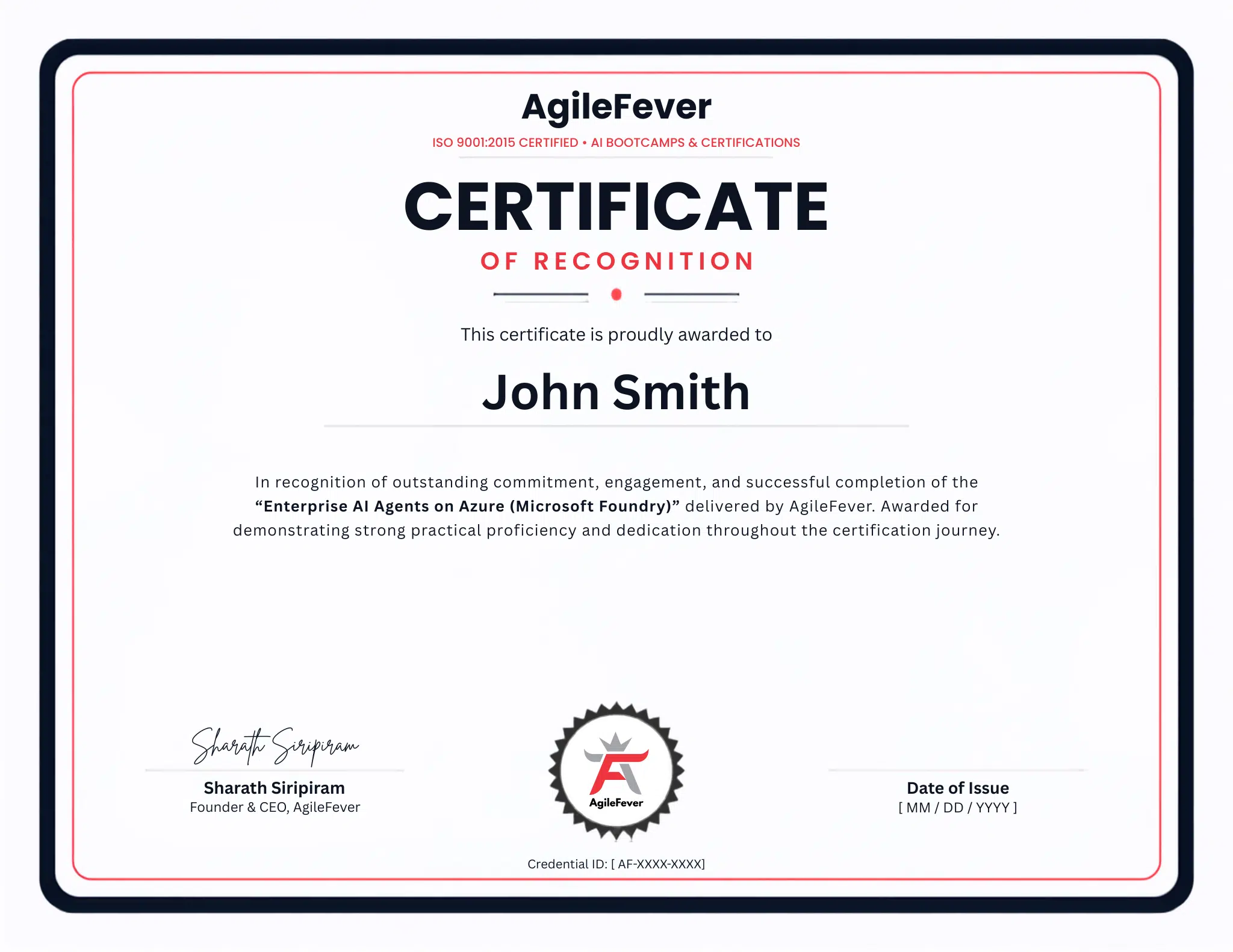
      Enterprise-AI-Agents-on-Azure-Microsoft-Foundry-Certificate
      img

      Enterprise AI Agents on Azure (Microsoft Foundry) is ideal for

      • India & Europe IT professionals
      • Cloud & Backend Engineers
      • AI/ML Engineers
      • Developers targeting enterprise roles
      Enquire Now

      Companies that trust Us

      accenture-logo
      adobe-logo
      amazon-logo
      boa-logo
      dell-logo
      disney-logo
      exonmobil-logo
      google-logo
      ibm-logo
      meta-logo
      microsoft-logo
      rackspace-logo
      tesla-logo
      twilio-logo

      Benefits That Set You Apart

      trained
      trained
      trained
      trained
      trained
      exp-trainers
      exp-trainers
      exp-trainers
      exp-trainers
      exp-trainers

      Steps to Getting Certified

      1 Step
      2 Step
      3 Step
      4 Step

      Journeys that keep Inspiring ✨ everyone at AglieFever

      male-professional-reviewer-icon
      Aditi M

      This course was a perfect intro, easy to follow, fun examples, and zero fluff!

      male-professional-reviewer-icon
      Naveen K

      I finally understand what AI is doing behind the scenes. Great for busy people like me.

      male-professional-reviewer-icon
      Nikolas J

      The tools demo was my favourite part. I used ChatGPT in my next meeting!

      Frequently Asked Questions

      1. Is the Microsoft Applied Skills badge a real Microsoft credential, or just a course certificate?

      It is a real Microsoft credential. The Applied Skills badge is issued directly by Microsoft through your Microsoft Learn profile and published to LinkedIn. It is not a course completion certificate — you earn it only by passing a live, interactive lab assessment in an actual Azure environment. The badge does not expire and is permanent on your profile.

      2. The badge is free — are there any hidden costs I should know about?

      No exam fee, no subscription required for the Microsoft Applied Skills badge itself — this is a key difference from the AWS Bedrock add-on, which requires an AWS Skill Builder subscription. The badge lab runs in a Microsoft-provisioned environment. You will need an Azure account for the hands-on labs in Modules 1–3; the Azure free credit setup is covered in the first module to help you avoid unnecessary API costs.

      3. Do I need to complete the full 56-hour AgileFever core bootcamp first?

      Yes — completion of the AgileFever Agentic AI Bootcamp is the prerequisite. This add-on builds directly on those skills and does not re-teach agentic fundamentals. If you have equivalent hands-on experience building multi-agent systems from another program, contact us to discuss your eligibility.

      4. What does the badge lab assess? What happens if I don't pass?

      The 45-minute lab requires you to build and configure an AI agent in Azure AI Foundry — covering agent creation, tool attachment, RAG connection, and deployment. It runs in a live Azure environment. If you do not pass on the first attempt, the lab can be reattempted through Microsoft Learn. The instructor walkthrough immediately before the lab is specifically designed to walk you through exactly what the assessment tests.

      5. Why is Azure AI Foundry specifically important for India and Europe IT professionals?

      Microsoft has committed $17.5 billion to Azure cloud and AI infrastructure in India through 2029. TCS, Infosys, Wipro, and Cognizant have each committed to deploying over 50,000 Microsoft Copilot licences, with Azure AI Foundry as the core build platform. In Europe, Azure is similarly dominant in regulated industries like banking, healthcare, and government — sectors that require in-country processing that Azure’s sovereign cloud options support. For IT professionals in these markets, Azure AI Foundry proficiency is a practical career requirement, not just a differentiator.

      6. I already use Azure but haven't worked with AI Foundry specifically. Will I still learn something new?

      Yes — Azure AI Foundry is a relatively new service that unified Azure AI Studio and the agent builder tooling, so even experienced Azure engineers often haven’t worked with it in depth. The bootcamp covers the Foundry Agent Service specifically (not just Azure OpenAI), Semantic Kernel SDK orchestration, Azure AI Search RAG integration, and agent monitoring — areas where most Azure generalists have gaps.

      7. What is Semantic Kernel and why does this bootcamp include it?

      Semantic Kernel is Microsoft’s open-source SDK for orchestrating AI agent workflows in Python and C#. It is the recommended orchestration layer for enterprise Azure AI deployments and is what large enterprises — including those using the Microsoft stack at TCS and Infosys — use to build production multi-agent systems. The bootcamp covers it because you cannot build reliable, scalable Azure agents without understanding how Semantic Kernel connects models, tools, and memory.

      8. I already have agents built in CrewAI or LangGraph. Can I migrate them to Azure using this bootcamp?

      Yes — the bootcamp specifically covers converting existing CrewAI and LangGraph agents into Azure-hosted systems. This is one of the most practically valuable modules for engineers who have already prototyped agents using popular frameworks and now need to move those workloads to enterprise Azure infrastructure.

      9. How does this add-on compare to the AWS Bedrock add-on? Should I do both?

      The two add-ons target different cloud stacks. The Azure add-on (Track A) is designed for India and Europe professionals working in Microsoft-native environments; the AWS add-on (Track B) targets US and Canada professionals in AWS-native environments. If your work spans both clouds — which is increasingly common in enterprise consulting — doing both gives you a dual-cloud agentic AI credential set that is genuinely rare in the market. The Azure badge is free; the AWS badge requires an AWS Skill Builder subscription.

      10. Can my company sponsor a team cohort for this add-on?

      Yes — corporate cohorts are available with flexible scheduling and bulk pricing. The add-on can run as a half-day intensive, split across two 2-hour sessions, or scheduled immediately after a core bootcamp batch. Contact AgileFever at training@agilefever.com for a quote and to discuss scheduling options for your team.

      Ready to unlock your full potential as a Scrum Master?