



































Written by the AgileFever editorial team. Facts checked on November 19, 2026 against the official pages of the organizations named in this post. AgileFever sells training for some of the topics covered here, and we say so wherever it applies. Technical facts come from Anthropic’s engineering and API documentation. AgileFever sells the Gen AI BootCamp mentioned near the end.
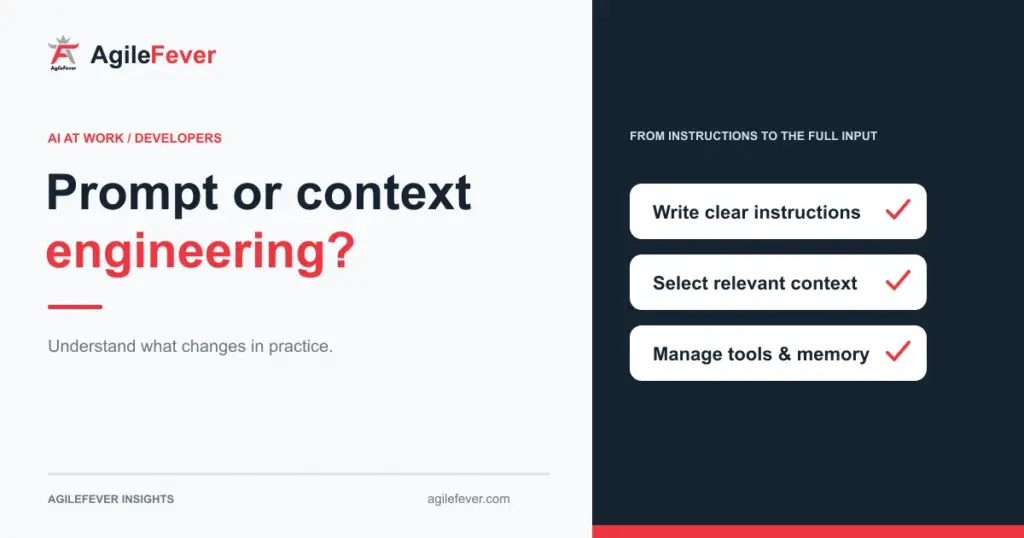
A prompt that worked in a demo often falls apart in a product. The wording did not change. What surrounds it did: more tool definitions, a pasted policy, earlier turns, a tool result with 400 lines of JSON. Context engineering is the work of deciding what goes into that window, in what form, and what gets removed. This post defines it precisely, shows what changes for each kind of content, gives a token budget, names the failure modes with their sources, and walks one support task through a before and after.
Context engineering vs prompt engineering: the definitions
Anthropic’s engineering team separates the two in its guidance, Anthropic’s September 2025 engineering post (published September 29, 2025, read November 19, 2026). Prompt engineering covers methods for writing and organizing instructions, mainly the system prompt. Context engineering is, in its words, “the set of strategies for curating and maintaining the optimal set of tokens” during inference. The context itself is every token included when the model generates.
That makes prompt engineering a subset. The system prompt is one of several things competing for space in the window, and it runs once per call like everything else.
| Prompt engineering | Context engineering | |
|---|---|---|
| Question it answers | How should this instruction be worded? | What should the model see right now, and what should it not see? |
| Unit of work | One prompt or template | The whole token set for each model call, across turns |
| Inputs it controls | Instructions, role, examples, output format | Instructions plus retrieved text, tool definitions and results, memory, history, summaries |
| When it runs | Design time, then rarely | Every call, because the contents change as the task moves |
| How you test it | Compare outputs for a fixed set of inputs | Replay full traces and check which tokens were present when a step went wrong |
Neither replaces the other. Anthropic’s prompt guidance recommends 3 to 5 examples for steering format and tone, and those habits stay useful inside a larger design.
What changes in practice, layer by layer
In practice, context engineering is a set of decisions about five kinds of content. Each has a different owner, a different cost, and a different way to go wrong.
| Layer | What goes in | The decision | Common mistake |
|---|---|---|---|
| System prompt | Role, rules, tone, escalation conditions | Right altitude: specific enough to guide, not a pile of brittle if-then rules | Fixing every observed failure with a new rule until the prompt is 3,000 words |
| Retrieved documents | Policy text, tickets, code, search results | How many passages, how long, with what source label | Pasting whole files because they might be relevant |
| Tool definitions | Names, descriptions, parameters of each tool | Which tools this task needs, and clear non-overlapping descriptions | Loading every tool the system has on every call |
| Tool results | API responses, query output, file contents | Which fields come back, and how long a result stays | Returning raw payloads and keeping all of them for the whole session |
| Memory and history | Earlier turns, summaries, saved notes | What to keep verbatim, what to summarize, what to store outside the window | Letting history grow until the model starts repeating old steps |
System prompt. Anthropic describes the target as the minimal set of information that fully outlines expected behavior, and notes that minimal does not mean short. That favors a strong heuristic over a script that breaks on the first unforeseen case.
Retrieved documents. Everything in the request counts toward the window, including documents and images. For long inputs of 20k tokens or more, Anthropic’s prompting guide says to place the documents above the query, with the question at the end, and reports quality gains of up to 30 percent in its tests. It also suggests asking the model to quote the relevant passages first, which makes the answer easier to check.
Tool definitions and results. Tool definitions count toward the window too. Results are where most agents bloat: Anthropic’s context-editing feature clears old tool results once the prompt passes a trigger, 100,000 input tokens by default, and keeps the 3 most recent tool uses by default (beta, per the API documentation). You can do the same trimming yourself by returning only the fields the next step needs. Our MCP explainer covers how tool servers expose definitions and why result size matters.
Memory. The memory tool lets the model write notes to files and read them back later. The storage is client-side: your application runs each file operation, so you decide where data lives, how long it stays, and which paths are allowed. Anthropic’s documentation warns that a path such as one using ../ can escape the memory directory, so every path needs validation.
History and compaction. Compaction replaces older turns with a summary written on the server; the documentation lists it as beta and recommends it as the main strategy for long-running agents. Anthropic’s engineering post advises tuning a compaction prompt for recall first, then trimming for precision, so the summary does not drop a detail a later step needs.
The context budget: what a window holds and what it costs
Anthropic’s documentation says many current Claude models have a 1M-token context window, with other models, including Sonnet 4.5, at 200k. The window holds the system prompt, every message, tool results, tool definitions and the model’s own output, including extended thinking. A large window raises the ceiling. It does not change the point that recall degrades as the count grows, which the docs call context rot.
Cost works differently from capacity. Prompt caching lets a stable prefix (tools, then system prompt, then messages, in that order) be reused at a lower price. The multipliers below are relative to the base input price, from Anthropic’s prompt caching page.
Default multipliers. Some newer models list lower cache-read rates (0.05x or 0.025x).
Source: Anthropic prompt caching documentation, read November 19, 2026. Default lifetime is 5 minutes, refreshed each time the cached content is used. A change to tools, system prompt or messages invalidates that level and everything after it.
Keep stable content first and identical between calls, or the cache misses. Clearing old tool results also invalidates the cached prefix, so the clearing feature has a setting for the minimum tokens a clear must free.
A budget is a set of limits you choose per layer, then check against real traces. The table below shows one for a hypothetical support agent.
| Layer | Prompt-only build (tokens) | Context-designed build (tokens) | What changed |
|---|---|---|---|
| System prompt | 6,000 | 1,200 | Rules rewritten as a short policy plus two examples |
| Tool definitions | 12,000 | 3,000 | 6 tools loaded for this task instead of 30 |
| Retrieved documents | 45,000 | 4,000 | 3 passages with source and date, not full policy files |
| Tool results | 30,000 | 2,500 | Order lookup returns 8 fields, not the raw record |
| History and memory | 22,000 | 3,300 | Older turns summarized; customer notes loaded from memory |
| Total | 115,000 | 14,000 |
Illustrative example. These token counts are invented to show how a budget is written, not measured from a real system. Measure your own with the provider’s token counting tool.
Failure modes: how a context goes wrong
Several of these have names. Treat the numbers as findings from specific studies, not rules for your model.
| Failure | What happens | Source | Typical fix |
|---|---|---|---|
| Context rot | Accuracy and recall fall as the number of tokens in the window grows | Anthropic engineering post and context windows documentation | Curate; retrieve just in time; compact |
| Context poisoning | A hallucination or error enters the context and is referenced again and again | Article on dbreunig.com, June 22, 2025 | Validate before writing to memory or notes; start a clean window when a goal is corrupted |
| Context distraction | A very long history pulls the model toward repeating past actions instead of planning new ones. The article cites a study where correctness began to fall near 32k tokens for one large open model | Same article | Summarize history; keep recent turns only |
| Context confusion | Superfluous content, such as unneeded tools, is used and weakens the answer. The article cites a small quantized model that failed with 46 tools and succeeded with 19 | Same article | Load only the tools the task needs |
| Context clash | New information conflicts with what is already in the window. The article reports an average 39% drop when prompts were split across turns | Same article | Consolidate; state which source wins when two disagree |
Sources: Anthropic engineering post (September 29, 2025) and context windows documentation; dbreunig.com article dated June 22, 2025, which reports the studies above. Read November 19, 2026. Numbers are as reported there for specific models and setups.
A worked example: one support question, before and after
The task: a customer writes, “I was charged twice for my annual plan. Can I get one payment back?” The agent has a billing tool, a refund policy, and a ticket history.
Before (prompt-only). The team writes a long system prompt: be accurate, never invent policy, check eligibility, be polite, escalate when unsure, plus 20 rules added after earlier bad answers. All 30 tools are loaded. The full refund policy files are pasted in. The billing tool returns the entire account record, and every earlier result stays in the window. Two things go wrong. The model cites a policy clause from an old version because both versions sit in the paste. And on turn 9 it asks the customer for an invoice number it already retrieved on turn 3, buried 40,000 tokens back.
After (context-designed). Nothing about the model changed. The system prompt shrank to a role, an escalation rule and two worked examples. The tool list was filtered to the six billing tools. A retriever returns three passages, each labelled with document name and effective date, and the system prompt states that the newer date wins. The billing tool now returns only the charge IDs, amounts, dates and plan. Old tool results are cleared after use, and a short summary of the exchange is kept. The customer’s earlier ticket notes are loaded from memory at the start of the session.
Role, escalation rule, two examples. About 1,200 tokens.
Only the tools this task can use. About 3,000 tokens.
Each with document name and effective date; newest wins. About 4,000 tokens.
Two charges with IDs, amounts and dates. About 2,500 tokens across the session.
Earlier turns summarized; ticket history from memory. About 3,300 tokens.
Illustrative example. The scenario and the token counts are made up to show the method. They are not results from a real deployment.
Notice what a better prompt could not have fixed. No wording change removes the old policy clause from a pasted file or recovers an invoice number that was buried. Those are context faults, and they show up in the trace, not in the prompt text.
When prompt wording is enough, and when you need context design
| Situation | Wording is enough | Design the context |
|---|---|---|
| Inputs | Everything the task needs is in the request | The answer depends on documents, records or data outside the request |
| Turns | Single turn or a short exchange | Many turns, or a task that runs for minutes or hours |
| Tools | None, or one or two | Several tools, or tool outputs that feed the next step |
| Access rules | Same content is safe for every user | Different users may see different data |
| First move | Reword, add 3 to 5 examples, fix the format | Write a budget per layer, then trim, retrieve, summarize or store notes |
A context engineering checklist
- Write down every source of tokens in one call: system prompt, tool definitions, retrieved text, tool results, history, memory, output.
- Set a token limit for each layer and measure real traces against it with the provider’s token counting tool.
- Keep the system prompt to the minimum that fully describes the behavior. Add examples before adding rules.
- Load only the tools the current task can use, with distinct names and clear descriptions.
- Return only the fields the next step needs from each tool, and clear results once they are used.
- Label every retrieved passage with its source and date, and say which source wins in a conflict.
- Keep stable content first and unchanged between calls so prompt caching works.
- Validate anything written to memory, restrict the file paths, and delete old entries.
Learning the skills around it
Context engineering rests on skills that are taught separately: writing prompts that hold up, building retrieval, calling model APIs, deploying and securing an application. AgileFever’s Gen AI BootCamp is a live program of 72 hours according to its page. The syllabus includes a prompt engineering module (zero-shot, few-shot, chain-of-thought, templates, testing and evaluation), a retrieval-augmented generation module with vector databases and LangChain and LlamaIndex pipelines, deployment, and a safety module that covers prompt injection. Learners choose a capstone from a legal assistant, an AI tutor or a resume screener. The page says anyone can register and that basic Python helps. For the current price and batch dates, read the product page.
The program teaches the parts that this post shows being assembled. Our teaching philosophy post explains why we treat prompting as one module among several. To judge any agentic course, including ours, use the agentic AI syllabus checklist. For the orchestration layer, see AI agent frameworks compared, and for where assistants fit in coding and operations, AI tools for software teams.
Questions people ask
What is the difference between prompt engineering and context engineering?
Prompt engineering is writing and organizing the instructions, mainly the system prompt. Context engineering is curating the full set of tokens the model sees on each call, including retrieved text, tool definitions and results, memory and history. Anthropic treats the first as a part of the second.
Does context engineering replace prompt engineering?
No. The system prompt is still one layer of the context, and a vague prompt gives vague behavior whatever else is in the window. Wording alone stops being enough once the task uses outside data, tools or many turns.
Is a bigger context window the answer?
A bigger window raises the limit but not the quality. Anthropic’s documentation says accuracy and recall degrade as the token count grows, and calls this context rot. Curating what goes in still matters.
What is context rot?
Context rot is the drop in a model’s ability to recall and use information accurately as the number of tokens in its context grows. The fix is to keep the window focused, not to fill it.
How do I stop an agent losing details in long tasks?
Move state out of the window. Write progress notes or structured files with a memory tool, summarize older turns through compaction, and clear stale tool results.
Do I need context engineering for a simple chatbot?
Not at first. For a single-turn task with all inputs in the request, a clear prompt and 3 to 5 examples is usually enough. Add retrieval, memory or compaction when traces show wrong facts, repeated steps or lost details.