


































The fastest way to lose trust in AI on an infrastructure team is to let it run a command in production that nobody reviewed. The second fastest is to never let it touch anything and use it as an expensive autocomplete. Most teams using AI in DevOps end up somewhere between, and the useful question isn’t “should we use AI” but “how much autonomy should each task get.”
Set the permission level for each task before connecting an agent to your tools.
Three levels of autonomy
The following permission levels help separate drafting from actions that change infrastructure:
| Level | What the AI does | Good fit for |
|---|---|---|
| 1. Suggest | Drafts code, config, or an explanation. A human applies it. | Anything that changes infrastructure |
| 2. Act with approval | Prepares an action and waits for a human to approve it | Remediation in production, scaling changes, ticket updates |
| 3. Act alone | Runs without asking, within strict limits | Read-only investigation, summaries, and alert grouping |
Most teams should start every use case at level 1 and move up only after the AI has been right consistently. Level 3 should almost always mean read-only access.
AI in DevOps: generative AI for infrastructure work
| Use case | What the AI does | Autonomy |
|---|---|---|
| Infrastructure as code drafts | Writes Terraform, Helm, or Kubernetes manifests from a description | Suggest |
| Pipeline configuration | Drafts CI/CD YAML and explains why a pipeline step fails | Suggest |
| Log summarization | Condenses thousands of log lines into what changed and when | Act alone (read-only) |
| Postmortem drafting | Builds a timeline from the incident channel, alerts, and deploy history | Suggest |
| Runbook writing | Turns a solved incident thread into a reusable runbook | Suggest |
| Change risk review | Reads a pull request and lists what it could break | Suggest |
Agentic AI for incidents and cost
These involve several steps across tools, which is where agents differ from a chat window.
| Use case | What the agent does | Autonomy |
|---|---|---|
| Incident triage | Classifies a new alert, pulls related logs and recent deploys, and drafts an assessment for review | Act alone (read-only) |
| Runbook retrieval | Finds the runbook that matches the alert and lists the steps | Act alone (read-only) |
| Root-cause hypotheses | Correlates metrics, logs, and changes into a ranked list of likely causes | Suggest |
| Approved remediation | Prepares a restart, rollback, or scale-out and runs it once someone approves | Act with approval |
| Cloud cost anomalies | Spots a spending spike, traces it to a service, and suggests rightsizing | Suggest |
| Alert noise reduction | Groups duplicate and flapping alerts so on-call sees one incident instead of forty pages | Act alone |
Security and monitoring
- Vulnerability triage: explaining what a CVE means for your specific stack, so you can prioritize which scanner findings actually matter
- Configuration drift: comparing live infrastructure against the declared state and summarizing differences
- Secret exposure checks: scanning commits and config for keys before they’re merged
- ChatOps queries: answering “which services are on the old base image?” from your inventory without anyone writing the query
Guardrails that matter more than the model
- Give agents their own credentials with the narrowest permissions possible, never a human admin’s token.
- Log every action an agent takes, including the ones a human approved, so you can audit later.
- Put a hard limit on what an agent can do in one run, such as one rollback, never a loop of retries.
- Treat anything an agent reads from logs or tickets as untrusted input. Prompt injection through a log line is a real attack.
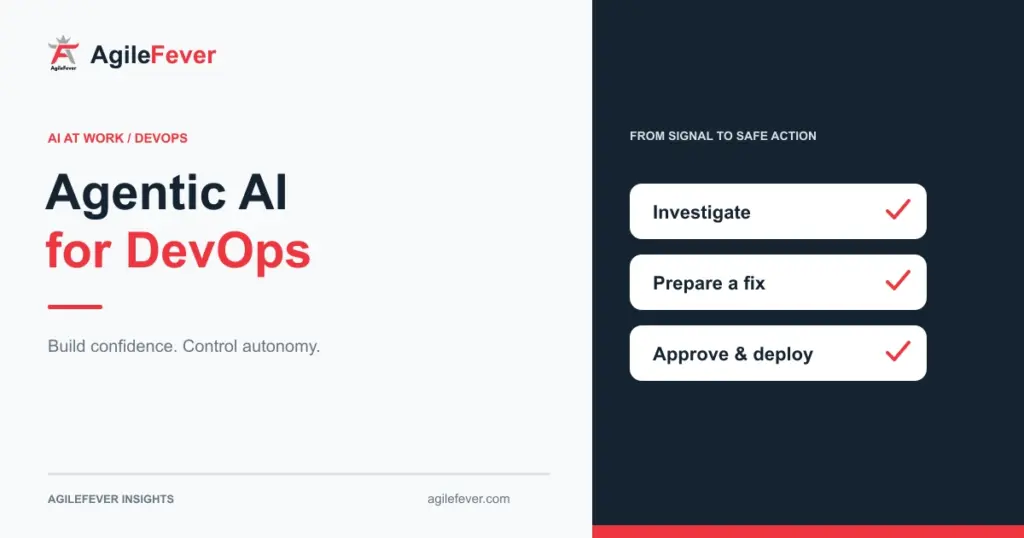
- Read the alert, logs, and recent deployment history.
- Draft a diagnosis and proposed remediation.
- Have an engineer check scope, permissions, and the rollback plan.
- Execute the approved action, then verify and log the result.
Suggested workflow based on the use cases in this article.
Where to start
Pick something read-only that wastes your time every week. Log summarization and incident triage are useful starting points. Read-only access limits changes to infrastructure, but summaries can still be wrong or expose sensitive data. Review the output before sharing it. Move to approved remediation only after your team trusts the triage.
AgileFever’s Generative AI and Agentic AI for DevOps Engineers course covers this in 12 hours across four modules: GenAI for infrastructure automation, agentic AI for incident and cost automation, security and monitoring integration, and building and deploying your own project. It currently costs $450 in the US or ₹25,000 in India.
Additional discounts are available. Contact us to know more.
FAQ
Should an AI agent ever have production write access?
Only for narrow, pre-approved actions with a human approval step, logging, and a hard limit on how much it can do in one run. Start without it.
Is AI-generated Terraform safe to apply?
Treat it like code from a new teammate: review it, run plan, and check it against your policies before apply.
Does this replace on-call?
No. It makes on-call quieter and faster by handling triage and noise. A person still makes the call on anything that changes production.
What to read next
If you’re thinking about moving deeper into AI infrastructure, MLOps Career Guide 2026 covers the roles and skills. If you’re weighing a client-facing direction instead, read Forward Deployed Engineer vs DevOps Engineer.