


To become a certified expert in Kanban system design, you need to have a thorough understanding of its core principles. These principles focus on practical workflow management techniques such as visualization, work limits, flow management, feedback loops, and evolutionary change. In this guide, we will dive into these principles to help you earn your certification in Kanban system design.
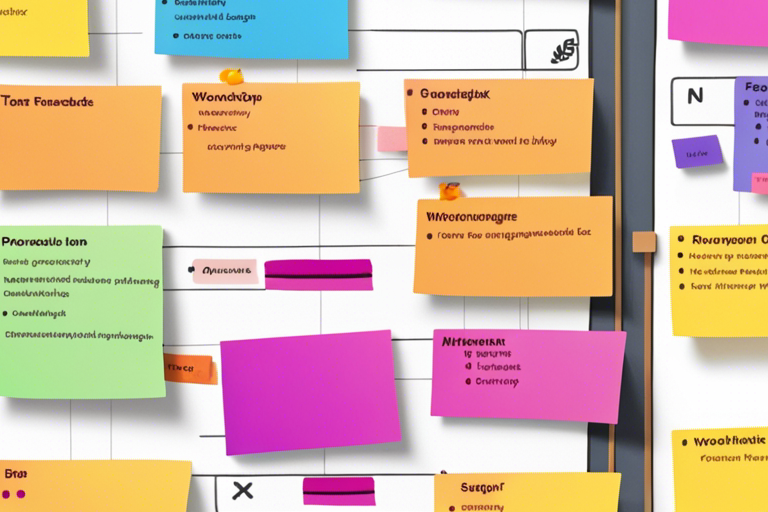
1. Visualize Workflow
Core Principle: Kanban relies heavily on visualization. This means creating a Kanban board that visually represents your work items and their respective statuses.
Why It Matters: Visualization plays a crucial role in enhancing transparency within a team. By making work visible to all members, it promotes better communication and allows everyone to see the current status of tasks. Furthermore, it helps prioritize work by highlighting the most critical items, allowing teams to focus their efforts effectively. Visualizing workflow also helps identify bottlenecks and delays, enabling timely intervention when needed. Lastly, it fosters accountability as team members take ownership of their tasks when they are visible to their peers.
2. Limit Work in Progress (WIP)
Core Principle: One of Kanban’s core principles is to set limits on the number of tasks or work items that can be in progress at the same time.
Why It Matters: Keeping your work-in-progress (WIP) limited is essential for staying focused and avoiding multitasking, which can decrease productivity. It also helps improve predictability by making it easier to estimate when tasks will be completed. Additionally, limiting WIP promotes faster completion of individual tasks because smaller workloads lead to shorter lead times.
3. Manage the Flow
Core Principle: By effectively managing the flow of work items, you can ensure a seamless and uninterrupted progression through the system.
Why It Matters: Flow management is crucial for maintaining a smooth and efficient workflow. By minimizing bottlenecks and ensuring a steady progression of work, teams can maintain control and improve overall efficiency.
4. Feedback Loops
Core Principle: Feedback loops are essential for continuous improvement within Kanban.
Why It Matters: Feedback plays a crucial role in recognizing areas for improvement and identifying opportunities to grow. It allows teams to adjust their strategies based on changing circumstances, fostering a culture of continuous learning and development. Organizations that actively seek and incorporate feedback can refine their processes, leading to increased efficiency.
5. Evolutionary Change
Core Principle: Kanban supports an incremental and evolutionary approach to change management.
Why It Matters: This approach enables organizations to make incremental improvements rather than implementing disruptive changes. It promotes adaptability and encourages learning from experiences, which is especially valuable in today’s rapidly changing business environment.
Conclusion
To achieve your Kanban system design certification, it is essential to understand the key principles that underpin its methodology. These principles include visualizing workflow, limiting work in progress (WIP), managing flow, using feedback loops, and embracing evolutionary change. By mastering these core concepts, you will be equipped with the skills and knowledge necessary to excel in optimizing workflows and processes using Kanban. With this solid foundation, you will be well-prepared to navigate the certification process and effectively apply Kanban in real-world scenarios.
FAQ
1. What are the core principles of Kanban system design?
Answer: The core principles of Kanban system design encompass several key concepts:
- Visualize Workflow: This involves creating a Kanban board to represent work items and their statuses visually, enhancing transparency and communication within a team.
- Limit Work in Progress (WIP): Kanban recommends setting limits on the number of tasks in progress simultaneously to improve focus and productivity.
- Manage the Flow: Effective flow management ensures a smooth progression of work items, minimizing bottlenecks and enhancing overall efficiency.
- Feedback Loops: Feedback is essential for continuous improvement within Kanban, enabling teams to adjust strategies and processes based on evolving circumstances.
- Evolutionary Change: Kanban promotes incremental and adaptive change management, allowing organizations to make gradual improvements rather than disruptive alterations.
2. Why is visualizing workflow important in Kanban?
Answer: Visualizing workflow in Kanban is crucial for several reasons:
- It enhances transparency within a team by making work visible to all members.
- It promotes better communication and enables everyone to see the current status of tasks.
- Visualizing workflow aids in prioritizing work, and highlighting critical items for focus.
- It helps identify bottlenecks and delays, facilitating timely intervention.
- It fosters accountability as team members take ownership of their visible tasks.
3. How does limiting Work in Progress (WIP) benefit a Kanban system?
Answer: Limiting Work in Progress (WIP) in Kanban provides several benefits:
- It helps teams stay focused and avoid multitasking, ultimately increasing productivity.
- WIP limits improve predictability by making it easier to estimate task completion times.
- Smaller workloads due to limited WIP lead to shorter lead times for individual tasks, promoting faster task completion and workflow efficiency.