


Kanban is a system design methodology that has its roots in Toyota’s manufacturing processes. Over time, it has become widely used across industries such as software development, project management, and lean manufacturing. As a visual management tool, Kanban assists teams in optimizing their workflow by implementing pull systems and embracing continuous improvement. In this blog post, we will provide you with a step-by-step guide on how to implement a Kanban system design.
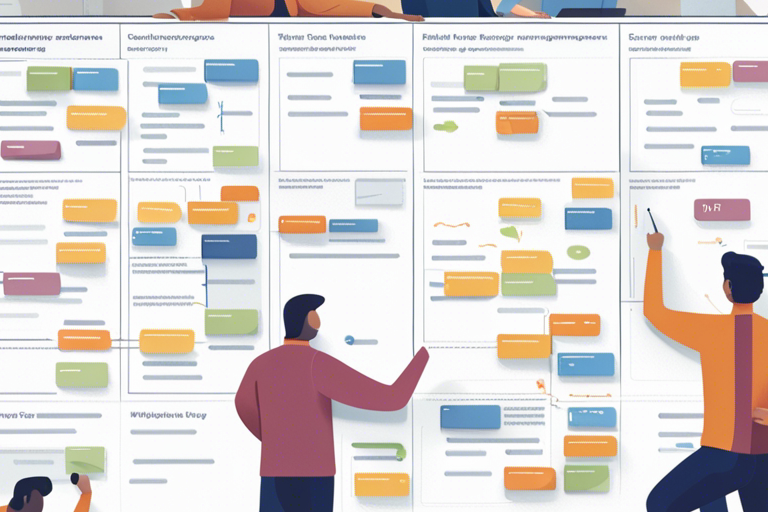
Preparation for Kanban System Design
Before you start designing your Kanban system, there are important steps to take as preparation. First, gather your team and allocate the necessary resources for implementing the system effectively. Everyone on the team must be familiar with the principles of the Kanban method. If needed, consider seeking training from reputable organizations like Kanban University to ensure that your team has the necessary knowledge and skills to implement Kanban successfully.
Kanban System Design Workshop
To implement a Kanban system, it is recommended to start with a workshop where all team members can align their goals and principles. During this collaborative session, the team will work together to design a customized Kanban system that meets their specific needs. This inclusive approach helps promote better comprehension and ensures everyone’s buy-in.
Identify a Service for your Kanban System Design
Select a service or process in your organization that you would like to enhance using the Kanban method. This particular service will be the central focus of your efforts in designing a Kanban system.
Define Mission
It is crucial to define the mission of your Kanban system design. What specific goals do you aim to achieve with this implementation? This mission statement will serve as a guiding light throughout the design and implementation phases, providing clarity and direction.
Analyze Sources of Dissatisfaction
Start by identifying any pain points and sources of dissatisfaction in your current workflow. This will allow you to design a Kanban system that specifically addresses these challenges and promotes a more seamless and efficient workflow.
Discover What the Service Does
To design an accurate Kanban system, it’s essential to have a thorough understanding of the service or process you’ve selected. Take the time to identify and comprehend the inputs, outputs, and dependencies involved. This foundational knowledge will lay the groundwork for effectively reflecting your workflow in your Kanban system.
Identify Work Types
To improve your process flow, it’s important to differentiate between various types of work items. These may encompass tasks, features, or projects. By classifying them according to their unique attributes and specific needs, you can effectively manage and prioritize each item.
Visualization Policies
To effectively visualize your workflow on a Kanban board, it is important to make key decisions about the layout. This includes determining the columns, swimlanes, and cards that will accurately represent the progression of work items throughout your process.
Create and Populate the Board
To get started with your Kanban board, first, define your visualization policies. Then, design and set up the board accordingly. Once it’s ready, you can start populating it with work items to effectively track your workflow.
Define Way-of-Working Policies
It’s important to establish clear guidelines for your team to effectively work within the Kanban system. These guidelines should cover how to handle work items, communicate progress, and address any issues that arise.
Define WIP Policies
To maintain a steady workflow and identify bottlenecks, it’s important to set limits on the amount of work in progress (WIP) at any given time. This prevents overwhelming your team with too many tasks simultaneously.
Define Meeting Policies
Decide on the frequency and format of Kanban meetings, such as daily stand-ups or regular review sessions. These meetings are crucial for ongoing improvement and efficient communication.
Summary of Kanban System Design
RephraseTo summarize, implementing a Kanban system design requires a systematic approach to optimize your workflow. This involves using pull systems, visualization, and continuous improvement. By following the steps mentioned earlier, you can create and implement a Kanban system that not only boosts productivity but also improves communication, reduces lead times, and provides value to your customers. Kanban is a versatile method that can be customized for different industries and processes, making it an invaluable tool for teams and organizations aiming for efficiency and effectiveness.
FAQ
Q1: What is Kanban System Design?
A1: Kanban System Design is a methodology rooted in Toyota’s manufacturing processes, widely adopted in various industries, including software development and project management. It is a visual management tool that helps optimize workflows through pull systems and continuous improvement.
Q2: How do I prepare for implementing the Kanban System Design?
A2: To prepare for implementing Kanban System Design, gather your team and allocate the necessary resources. Ensure everyone is familiar with Kanban principles, consider training if needed, and start with a collaborative workshop to align goals and principles.
Q3: What are the key steps in designing a Kanban system?
A3: The key steps in designing a Kanban system include identifying an improvement service, defining the mission, analyzing sources of dissatisfaction, understanding the service, classifying work types, setting visualization policies, creating and populating the board, defining way-of-working policies, establishing WIP limits, and deciding on meeting policies. These steps help tailor the Kanban system to your specific needs and improve workflow efficiency.